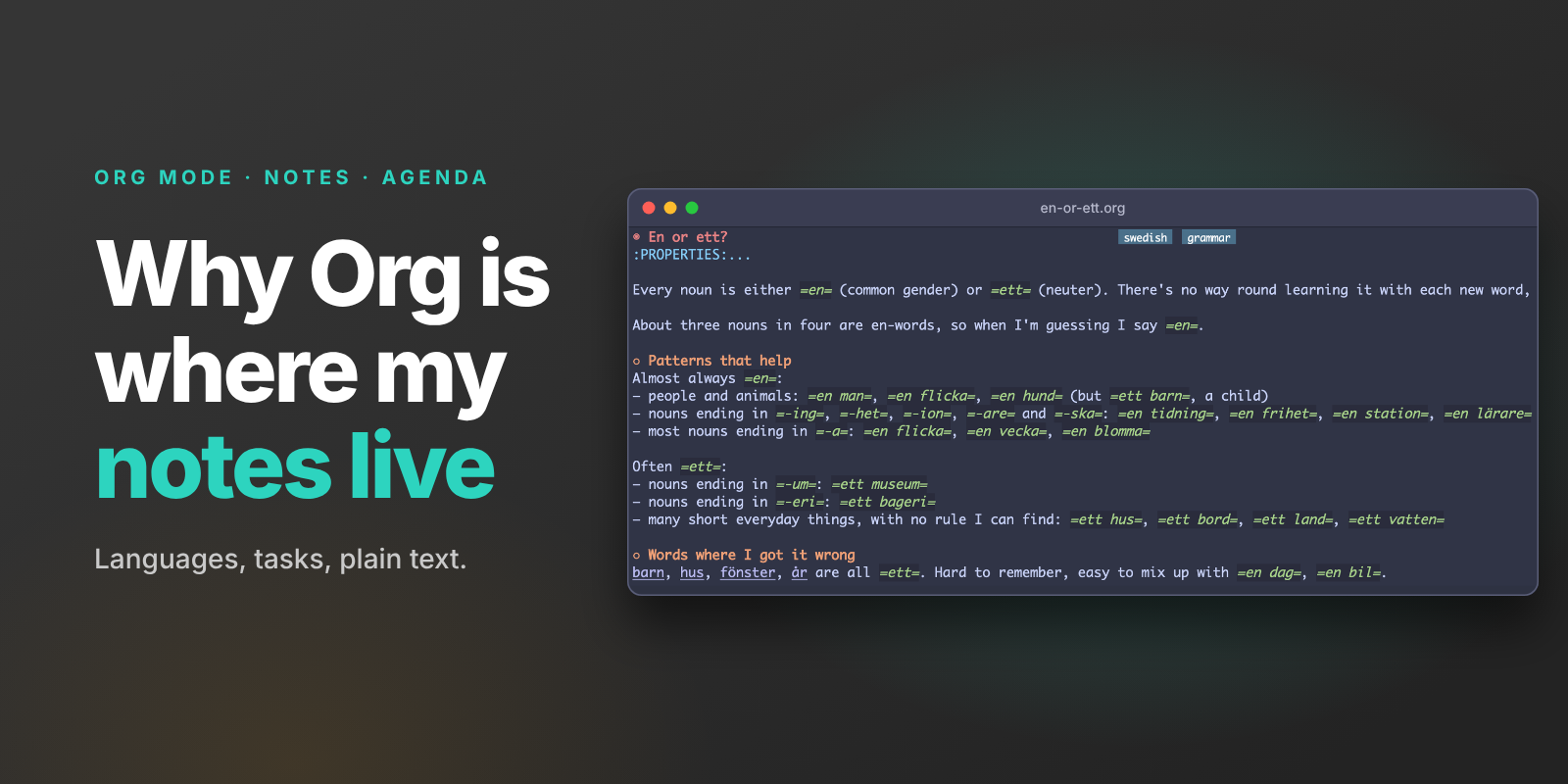
I've been learning languages for a long time. Swedish came first, for many years, and at the beginning of last year I started on Icelandic. If you learn a language seriously, you end up with a lot of notes: words, endings, example sentences, small rules, and the odd explanation to yourself at midnight that you hope you'll understand later.
Those notes have to live somewhere. I've tried a few places, and I keep coming back to the same answer. They live in Org mode, in Emacs. This post is about why, and about the second half of the story, which I came to later: Org Agenda, the part that takes everything in my notes that has a date or a task attached and gathers it into one view.
Notes in more than one language
The first thing a language learner needs from a note-taking tool is boring and essential. It has to let you type the language.
Icelandic has letters like þ, ð and æ, and vowels with accents. Swedish has å, ä and ö. German has ß and umlauts. Japanese needs a whole different way of entering text. A note-taking tool that makes any of these awkward quickly teaches you to avoid writing in that language, which is the opposite of what you want.
Input methods
Emacs handles this with input methods, and the part I like is how little
ceremony it needs. The manual describes them plainly. C-\
(toggle-input-method) turns the current input method on or off, and if
you haven't chosen one yet it asks you to pick. C-x RET C-\
(set-input-method) lets you choose a specific one for the current
buffer. If you want to see what's available, M-x list-input-methods
lists every one, with the short string that shows in the mode line when
it's active.
So the workflow for a multilingual note is: open the note, switch on the input method for the language I'm writing in, and type. When I move to a different language, I switch again. Because the input method belongs to the buffer, the setting follows the note rather than the whole editor.
There are a few more details in the manual that I find useful:
- Transient input.
C-x \(activate-transient-input-method) turns an input method on for a single character and then switches it off again. It's ideal for the occasional foreign letter in an otherwise English note, which is exactly the kind of thing that happens when you write about a language in English. - Describing a method.
C-h I(describe-input-method) shows how a method works, including which keys produce which characters. I find it quicker than guessing. - Defaults. Choosing a language environment sets a default input
method (
default-input-method), and you can activate a method automatically in a particular mode with a hook. The manual's own example turns ongerman-prefixin Text mode, which makes the idea very concrete. - Finding a character's keys.
M-x quail-show-keytells you the key sequence that produces the character after the cursor. When I see a letter and don't remember how to type it, that's the command I want.
I mostly use icelandic-postfix, swedish-postfix, german-postfix and
japanese.
One file, several languages
The input method is only half of it. The other half is that Org doesn't care what language the words are in. A heading can be in Icelandic and the explanation under it in English. A table can have a column of Icelandic words, a column of Swedish words and a column of English meanings. A list can mix all three. It's just text, and the structure around it works the same whatever the text says.
That matters because language notes are naturally comparative. I started Icelandic partly because I'd spent so long with Swedish and wanted to understand where it came from. Icelandic is often described as the closest living language to Old Norse, so it's constantly throwing up words that look familiar and aren't quite what I expect. Having Swedish and Icelandic side by side in one table, with a note about how they differ, is the best way I know to make the connection stick.
Structure that suits vocabulary
Org's headings make it easy to organise by topic, and its tables make it easy to organise by pattern. A table of verb endings, a list of words grouped by theme, a short explanation of a grammar point with examples below it: all of these are quick to write and easy to rearrange. I can fold a section away when I'm done with it, and unfold it when I want to review.
Tags help too. A heading can carry tags like :verbs: or :icelandic:,
and later I can search for everything with that tag, across every
file. If I want all my notes about a particular grammar topic, I'm not
hunting through folders. I ask for the tag.
Notes that become something
The reason this matters most to me is where the notes ended up. They started as a pile of plain text in Org, and they became my published book, Icelandic Vocabulary. Nothing about that journey required me to move the notes into another format first. I kept writing in the same place, in the same way, and the pile of notes gradually became a structure that could be published.
I'm not sure I'd have written the book if getting from notes to book had meant a big migration. It was easy to keep going, so I did. That's a lot of what Org gives me: the next step is always close.
The same goes for the blog
This blog is written in Org too, and it comes in several languages: Icelandic, Swedish, German and Japanese alongside English. Each translation is its own Org file next to the original, and the language of each page is set in the file itself. So the way I write my private notes and the way I write public posts are the same, and the input methods I use for one work for the other.
Where the notes stop and the plan begins
For a long time, my notes were just notes. They described things, and they sat there. What changed was when I started putting dates and tasks into them, and then letting Org Agenda read them back to me.
Org Agenda is a view over your notes. It doesn't have its own database or its own files. It reads the Org files you've told it about, finds the entries that have a task state, a scheduled date or a deadline, and shows them together as a list for the day or the week. Your notes stay exactly where they are. The agenda is a window onto them.
Turning it on
The manual's page on activation is short, and it makes a point I
appreciate: three Org commands should be reachable from anywhere in
Emacs, not just inside an Org buffer. Those are org-store-link,
org-capture and org-agenda. Org doesn't bind them for you, because
the right keys depend on the rest of your setup. Instead, the manual
suggests putting these lines in your init file:
(global-set-key (kbd "C-c l") #'org-store-link)
(global-set-key (kbd "C-c c") #'org-capture)
(global-set-key (kbd "C-c a") #'org-agenda)
After that, C-c a opens the agenda dispatcher from any buffer,
whatever I happen to be working on. The manual says you can change those
keys to suit yourself, and I'd encourage that. It's the same spirit as
everything else in Emacs: the defaults are a suggestion.
The other thing the agenda needs is to know which files to read. That's
the variable org-agenda-files, which holds a list of files, or
directories, to search. I'm deliberately keeping that list short and
obvious, because an agenda that reads everything shows everything, and
an agenda that shows everything stops being useful. At the moment,
my agenda files are just the ones in my projects and areas folders.
Tasks, dates and deadlines
Three ideas cover most of what I do with it.
A task is a heading with a state. Put TODO at the start of a heading
and Org treats it as a task. C-c C-t cycles it through the states, and
when I finish, it becomes DONE. That's all it takes for a heading to
show up in the agenda's task list.
A schedule says when to start. C-c C-s attaches a scheduled date to
a heading, picked from a small calendar so I don't have to type it. A
scheduled item appears on that day in the agenda, and keeps appearing
each day after it until I mark it done, so it can't quietly slip away.
A deadline says when it's due. C-c C-d adds a deadline. The agenda
warns about upcoming deadlines ahead of time, so a due date shows up
days before it arrives, and the warning grows more urgent as the date
gets closer.
That's the whole vocabulary: a state, a start date and a due date. Everything else is detail.
Seeing it all
Then C-c a opens a small menu of views. The two I use most are simple:
- The weekly agenda (
C-c a a) shows the week's days in order, with scheduled items and deadlines in place and a note of what's overdue. - The global task list (
C-c a t) lists every open task across all my agenda files, wherever it's hiding.
From either view I can jump straight to the heading a line came from, change its state, reschedule it or mark it done without leaving the agenda. The agenda and the notes stay in sync because they're the same thing.
Why that works well with notes
This is the part that made it click for me. Most task apps ask you to separate your tasks from your thinking. The task goes in the app, and the thinking goes somewhere else, and the two slowly drift apart. You end up with a to-do that says "review Icelandic past tense" and no idea where the notes about it are.
With Org, the task can live inside the note it belongs to. A heading like "Review the past tense of strong verbs" can sit right under the notes on strong verbs, with the explanation, the tables and the examples directly below it. When it appears in the agenda and I open it, I land in the middle of the material I need, not on an empty line in a separate list.
That fits language learning very well, because so much of it is revisiting. I come back to topics, I schedule time for them, and I want the notes right there when I do. The agenda is how I remember to come back, and the notes are what I come back to.
I've also been playing a lot of Hay Day lately, so I use the agenda to build a timetable for tracking my day-to-day progress in it. It's very nice having everything about the game in one place: my notes on level progression and even my stats sit right alongside the rest of my notes.
Capture, so nothing gets lost
The third command, org-capture, is the one that keeps the system
honest. A thought arrives at a bad moment: a word I've just met, an idea
for a post, a thing I need to do tomorrow. C-c c opens a small buffer
from anywhere in Emacs, I type it, and it's filed away without taking me
out of what I was doing. I can sort it out later, when I have a clear
head.
The temptation with any note system is to make it too elaborate. Capture is the opposite: a low-effort way in, with the organising left for when I'm ready.
A small weekly habit
The agenda also suits a short weekly review, and this is the habit I'd recommend most to anyone starting. Once a week, open the weekly view and look at three things: what's overdue, what's coming up, and what's sitting in the task list with no date at all.
Overdue items are the honest ones. Each is a decision waiting to be made. Either I do it now, I give it a new date, or I admit it isn't going to happen and delete it. Upcoming items let me see the shape of the week before it starts, so I'm not surprised on Thursday. And undated tasks are the ones most likely to be forgotten, so those are the ones I give a date to, even a rough one.
It takes a few minutes. What it does is stop the agenda turning into a pile. A list that you look at and tidy every week stays trustworthy, and a list you trust is one you actually use. A list you've stopped trusting is just another place for things to disappear.
The same habit works for language notes. When I look at the week, I can see which topics I meant to revisit, and I can decide whether I still care about them. If I do, they get a date. If I don't, I'm allowed to let them go, which is a relief I didn't expect from a planning tool.
Why I trust it
All of this is plain text. The notes, the tasks, the dates and the deadlines are all lines in Org files that I can read in any editor. The agenda is something Emacs builds from them each time I ask. If it all went away tomorrow, I'd still have my notes, and the tasks and dates would still be readable on the page.
I know how much that matters because I've done it the other way. Notes inside an app can be lovely until the app changes or stops, and then they're stuck behind someone else's decisions. I'd much sooner keep everything in files I own. It's also why I moved my notes back to Emacs after trying Obsidian. Obsidian was a nice experience, especially once Bases came out, but I kept missing my Meow keybindings, and the only place I can use those is Emacs. My notes were already in plain text, so moving back cost me almost nothing. That's the quiet benefit of plain files: you're never really locked in, so you're free to go where you're most comfortable.
The honest downsides
It's only fair to say where this falls short.
- There's a lot to learn. Org Agenda in particular has a great many options. Most of them are things you can ignore, but it's easy to feel overwhelmed at the start.
- It's desktop-shaped. I'd much sooner read my notes on my phone than edit them. Almost everything I write happens on my laptop, so that suits me, but if you want to write notes everywhere, it's a real limitation.
- You have to keep it tidy. An agenda is only as good as the files
behind it. If tasks pile up unfinished, the view fills with noise.
Tagging my entries helps, because in the agenda I can press
/to filter by tag or regular expression. - It takes setup. Input methods, agenda files and key bindings all need a little configuration before they feel right.
If you want to try it
If this makes you want to try it, here's the smallest version I'd suggest:
- Keep your notes in a few Org files, or one to begin with.
- Bind
C-c a,C-c candC-c lwith the three lines from the manual. - Tell Emacs which files to read by setting
org-agenda-files. - Add a
TODOto one heading and give it a scheduled date withC-c C-s. - Press
C-c a aand see it appear. - If you write in another language, pick an input method with
C-\and try writing a note in it.
Don't worry about getting the structure right on the first try. Mine changed several times as I found out what I actually needed, and because everything is plain text, reorganising is just moving headings around. Start messy, notice what annoys you, and fix that one thing.
That's an evening's work, and nothing in it locks you in. If it isn't for you, you'll have a handful of plain text files and nothing to lose.
What I took away
Org is where I think, and it's also where I plan. Both happen in the same files, in the same editor, in whichever language I happen to be writing. The multilingual side means I can write the way a language learner really writes, mixing Icelandic, Swedish and English without the tool getting in the way. The agenda side means those notes don't just sit there: they tell me what I meant to do next.
I started out just wanting to learn a language. Somewhere along the way, I ended up with a system that helps me do that, and it was built from plain text. If you keep notes in more than one language, or you've ever lost a task because it lived somewhere separate from the thing it was about, I'd say it's worth an evening.
I'd love to hear how you keep your own notes, and what, if anything, you use to plan around them.