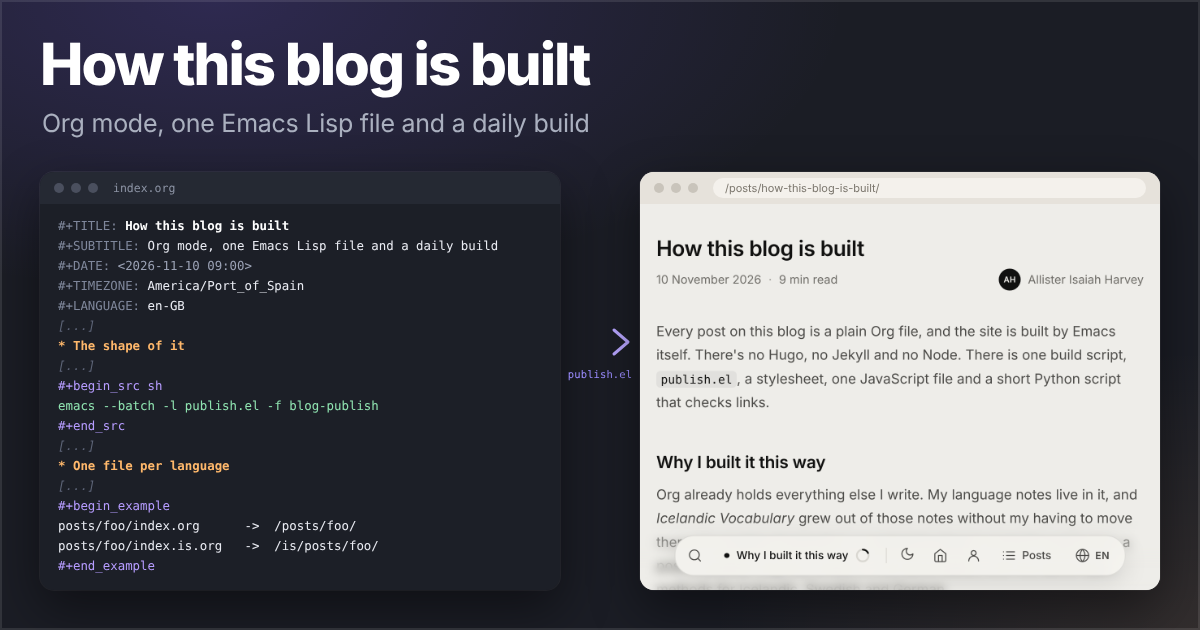
Every post on this blog is a plain Org file, and the site is built by Emacs
itself. There's no Hugo, no Jekyll and no Node. There is one build script,
publish.el, a stylesheet, one JavaScript file and a short Python script
that checks links.
I wrote about why my notes live in Org last week. This post is about the other end of the same pipe: what happens when one of those files turns into a web page, and the handful of decisions in the build that I'd stand behind.
Why I built it this way
Org already holds everything else I write. My language notes live in it, and Icelandic Vocabulary grew out of those notes without my having to move them into another format first. I wanted the blog to work the same way: a post is another Org file, written in the same editor, with the same input methods for Icelandic, Swedish and German.
That ruled out most of the platforms I looked at, because they're built for Markdown. I could have written in Org and exported to Markdown just to publish it, but that's a lot of moving parts for a blog. I used Quartz for a long time before this, and it has the same Markdown assumption.
The other reason is simpler: I like to code, and building the site myself
was part of the appeal. So the posts were always going to be Org files, and
the question was what turns them into a website. The answer turned out to be
Emacs again, through org-publish.
The shape of it
The whole project is small enough to fit in one screen:
publish.el                 The build script
content/
  index.org, about.org     Home and About pages
  posts/foo/index.org      A post, in its own folder
  posts/foo/index.is.org   ...and its Icelandic translation
  posts/foo/banner.png     ...and its images, right beside it
  css/style.css            The stylesheet
  js/site.js               The dock (theme, language, search, contents)
scripts/check-links.py     Broken-link check
.github/workflows/         Deploy to GitHub Pages
In numbers: publish.el is about 1,600 lines and 87 functions of Emacs
Lisp. The stylesheet is about 500 lines, the JavaScript about 370, and the
link checker about 100. There are five posts so far, each in five
languages, which makes 25 post files. That doesn't count the Home, About,
Archive, Tags and 404 pages.
The dock, in that tree, is the floating bar at the bottom of every page. It holds the theme toggle, the language menu, search and the table of contents, and most of the JavaScript is about it.
Building it is one command:
emacs --batch -l publish.el -f blog-publish
That writes the finished site into public/. The first run needs a
network connection, because it installs htmlize (for colouring code
blocks) and org-contrib (for the RSS feed) from ELPA. To look at the
result I serve the folder with Python's built-in web server on port 8000.
I have to use a server instead of opening the files directly, because the
links on every page are root-relative.

What Org does and what I added
Org already has a publishing system, org-publish. You describe a project,
and it exports every Org file in a folder to HTML. That gets you most of the
way to a blog on its own.
Everything around the article is mine: a header with the title, the date
and the reading time, and a footer with the tags, up to three related posts
and Older and Newer links. The related posts are simply the ones that share
the most tags with the current one. Headings get anchors too, so hovering
over one shows a # that copies a link to that section. The anchors come
from the heading's text, not from a number, so they don't change when I
edit around them.
None of this is elegant in the way a templating language is elegant. It's Emacs Lisp functions that return strings of HTML. But it's in a language I already use all day, and the posts themselves stay as plain text I can open in anything.
One file per language
The blog comes in English, Icelandic, Swedish, Japanese and German. A translation is its own Org file, sitting right beside the original with the language code before the extension:
posts/foo/index.org      ->  /posts/foo/
posts/foo/index.is.org   ->  /is/posts/foo/
A page counts as translated when its translation file exists. The language menu in the dock only appears on pages that are available in more than one language, and your choice is remembered. On a first visit, a tiny script sends you to the version in your language: it uses the saved choice if there is one, and otherwise the first language in your browser's list that the page exists in. If nothing matches, you stay on the English version.
Adding a language is three small things: one line in blog-languages, an
entry for the words the site itself adds (Home, Archive, "min read") and
the month names, and then the translated files. Anything I haven't
translated falls back to English.
It has a cost: every post is five files to keep in step. Each translation carries its own header, with its own title, description, date, time zone and banner, because each file is read on its own. The tags are the same as in the original, so the tag pages line up across languages. The Sudoku post has the most copies of anything. Its diagrams have text inside them, so each diagram exists five times, once per language.
Dates and time zones
This is the part I'd defend most firmly. A post's #+DATE: is read as local
time in the post's own zone, set with #+TIMEZONE:. If a post has none, it
uses the default at the top of publish.el, which is America/Port_of_Spain.
That means I can move country and nothing already written shifts. New posts get the new zone, and old posts keep theirs. The page itself only shows the date, so you'd never see the difference, but it sets the exact moment of publication, which matters for the order of posts and for the dates in the RSS feed.
The zone is passed explicitly every time a date is read or shown, instead of changing the zone for the whole Emacs process, which needs Emacs 27 or later. And there's one small guard I'm pleased with. If you give Emacs a time zone name it doesn't recognise, it quietly treats it as UTC. A typo could put a post on the wrong day without any warning. So the build checks the name against the system's zone database and stops with an error. I would much rather have a build that fails loudly than a post that lands on the wrong date.
Drafts and scheduled posts
Add #+DRAFT: t to a post, or give it a date in the future, and it's left
out of everything: the site, the feeds, the search, the sitemap, the Archive
and Tags pages, even its images. To see drafts while I'm writing, I build
with BLOG_DRAFTS=1.
The scheduling works because of how the deploy is set up. A GitHub Actions
workflow builds and publishes the site on every push to main, and also
once a day at 13:05 UTC. Port of Spain is four hours behind UTC, so that is
09:05 here. GitHub doesn't promise that a scheduled run starts on the exact
minute, and runs can be late when it's busy, so a post dated 09:00 goes live
on that day's build, around nine. I can write a post the day before, push
it, and let it appear when I want it to.
Search without a server
The blog is a static site with no server, so there's nothing for a search box
to ask. I added search in case someone wants to look something up, and it
runs entirely in the browser. At build time, the script
writes a search-index.json for each language, holding every post's title,
address, date, tags, description and full text. The dock's search loads that
file in the browser and filters it there. The file is only fetched when you
click into the search box, so a visitor who never searches never downloads
it. Because it holds the full text of every post, it grows with the blog;
for now the English text comes to about 12,000 words.
The text is lowercased, stripped of accents, and has Icelandic letters folded together so that searches match more loosely. The folding is one character for one character, so the position of a match still lines up with the original text.
On long pages the dock also shows the name of the section you're in, next to a small progress ring, and the Posts page has a tag filter. The page itself is a warm grey with one column, in light and dark versions. The typeface is Inter, served from the site itself, so everyone sees the same font and no request goes to Google. Reading time uses 230 words a minute, and Japanese is counted by characters at 500 a minute.
Checks before anything goes live
The Python script is about a hundred lines. It walks the built site, parses
every page and checks each internal link, image and #section link. If any
is broken, it exits with an error, and the deploy workflow stops before
anything goes online. It skips external links on purpose, so that it's
quick and never fails because somebody else's site is down. That includes
external images. It does decode URL-encoded paths first, so a link with
%20 or an encoded accented letter in it still resolves.
It's a modest check, and it has limits. If I rename a heading, its anchor changes, and any link to the old one stops scrolling to the right place. The script will catch my own broken links to it. It can't catch the ones other people have saved.
What it doesn't do
- It doesn't run code blocks while building, so any output has to be pasted into the post by hand.
- Comments and analytics are both built in, using giscus and GoatCounter, and both are off. I don't think my writing has reached the stage where people feel like commenting yet, so they can wait.
- External links aren't checked.
- Translations are all manual. Nothing tells me when the English text has moved on and the Swedish hasn't.
- A first build on a new machine needs a network connection.
Is it worth it?
I don't think everyone needs to build their own publishing system. Org
already gives you a good start with org-publish, and plenty of blogging
platforms need far less maintenance. But I like knowing that the files on my
computer are the real source of the site. I can open them in Emacs or any
other editor, move the project somewhere else, and rebuild the whole thing
whenever I want. It's the same reason my notes live in Org, and for me it's
worth keeping a 1,600-line Emacs Lisp file in working order.
If you run a blog on org-publish too, I'd like to hear what you've added
that I haven't.