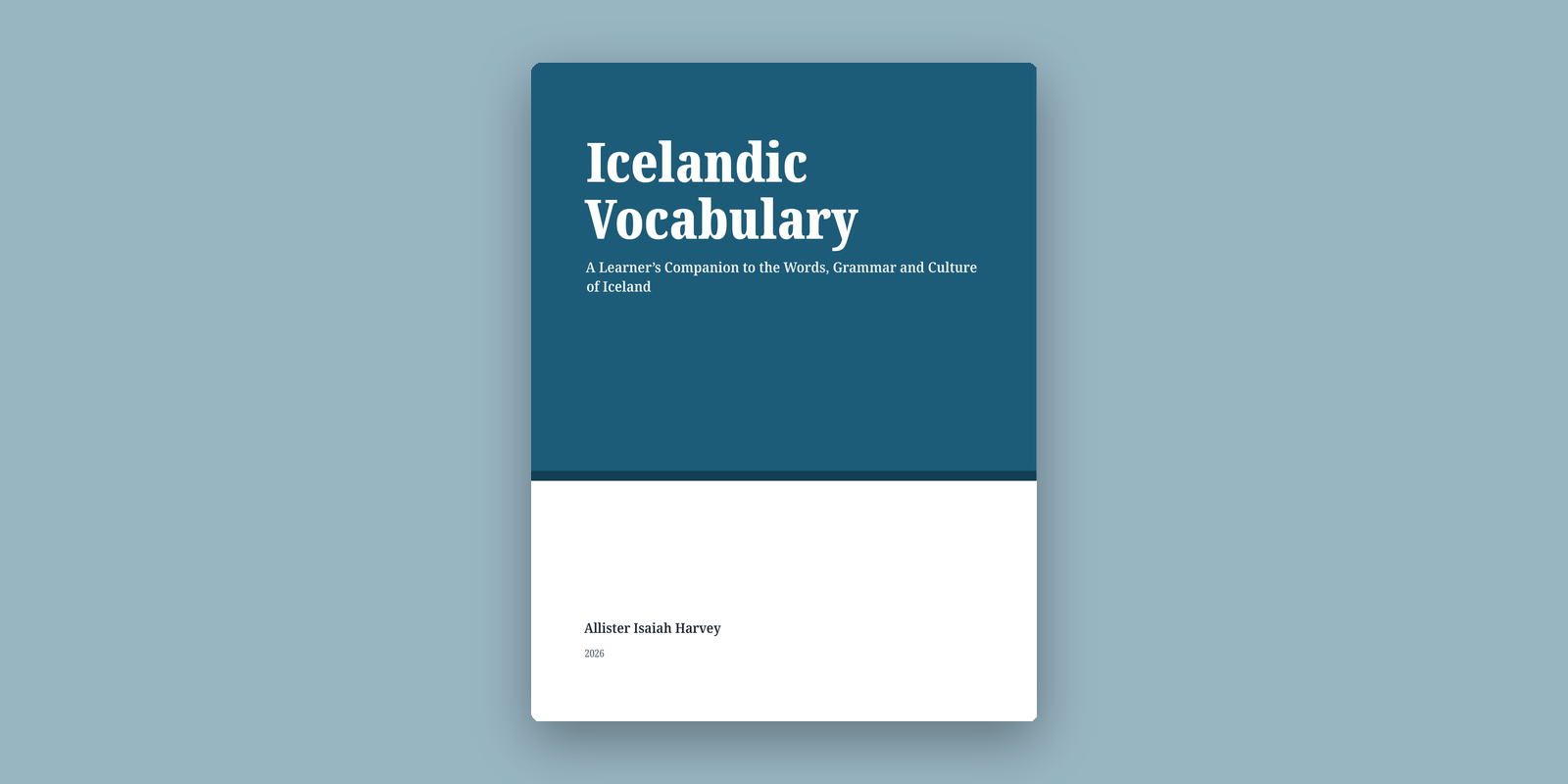
I actually published a book
I did not set out to write a book. I set out to learn Icelandic.
And yet here we are. My book, Icelandic Vocabulary, is now published and available on Amazon. Honestly, it still feels a bit strange to type that. One minute I was making notes for myself, and the next I was looking at a page that said 'published'.
This is the story of how that happened.
Why I started learning Icelandic
At the beginning of last year I started learning Icelandic. After so many years of learning Swedish, I wanted to learn more about its roots, and I'd always heard that Icelandic is the closest living language to Old Norse.
That was really it. No grand plan, just curiosity about where the language I already knew had come from.
The notes came first
I've been taking notes for as long as I've used Obsidian and Apple Notes. After a while, though, I noticed that I barely touched my notes on my phone. Thinking about it, I'd much sooner read my notes there than edit them. Nearly all of my notes were created on my laptop anyway.
So I moved all my note-taking to the laptop, using Obsidian. It was a nice experience, especially once Bases came out. But while writing there, I kept feeling like I was missing my Meow keybindings.
Yes, yes, I know. A lot more people use Vim keybindings. I don't know, Meow just feels so much more comfortable to me, and the only place I can use it is Emacs. So that's what pulled me back.
Why Org instead of Markdown? Mostly because it's easier to carry my notes around. Markdown is supported in a lot of places, but there are so many flavours of it. As far as I know there's only one flavour of Org mode, with extensions built on top. I can export Org to Markdown if I ever want to, but I can't go the other way. Org does everything I need, so I stuck with it.
Somehow this turned into another Emacs project. 😂
Why I decided to turn the notes into a book
A year and four months into learning Icelandic, I looked at how many notes I'd taken and thought: Icelandic is such a beautiful and historical language. I wish more people were actually learning it.
That's where it hit me. Maybe if I wrote a book about Icelandic vocabulary, I could show people not only how beautiful the language looks, but also how amazing the culture behind it really is.
That also shaped what kind of book it would be. When I turned to Icelandic, I expected the kind of help I'd had with Swedish: textbooks, dictionaries, graded readers. What I found was a scattering of excellent resources, but very little that brought vocabulary, grammar and culture together in one place. So this is the book I wished I'd owned when I started.
I'm not an Icelandic linguist, and this isn't a replacement for a proper grammar or dictionary. It's a learner writing for other learners: the things that helped me understand and remember.
The Swedish connection
I learn languages using the laddering method, where you use a language you already know as a stepping stone to the next. Swedish helped a lot. Plenty of basic Germanic vocabulary is recognisably related. When I met Ég er heima, I could immediately tell that heima belonged to the same family as Swedish hemma. The same goes for vatn, hús, bók, dagur and so on.
It goes beyond single words, too. Icelandic föðurbróðir and móðurbróðir are built exactly like Swedish farbror and morbror, and föðursystir and móðursystir like faster and moster. But then Swedish also does this with grandparents in everyday speech (farmor, mormor), whereas Icelanders usually just say amma and afi.
And then there's the trap. Swedish can make you underestimate Icelandic morphology. Swedish has largely lost the old Germanic case system. Icelandic hasn't.
Ég sé manninn.
I see the man.
Ég tala við manninn.
I talk to the man.
And nouns change depending on grammatical case, number, gender, definiteness and more. The same man becomes maðurinn in one sentence and manninn in another. I'd honestly been expecting something much closer to Swedish:
Jag ser mannen.
Jag pratar med mannen.
At first, Swedish gives you the vocabulary for free while also giving you the wrong expectations about how that vocabulary behaves grammatically. That tension was interesting enough that I gave it a place in the book: the 'Swedish Connection' boxes, which show where Swedish helps and where it quietly trips you up.
Things that surprised me while writing it
A big surprise was how easy it is to style Org: LaTeX for PDFs and CSS for the web and ePub versions. I'd expected to fight my tools much more than I did.
When I first decided to publish, I started in Apple Pages, because it's free and you can change the style of one thing and have it update everywhere. What made me switch to Emacs and Org mode was much less noble: I worked on the book a lot at night, and the white background hurt my eyes, even with Night Shift turned on in macOS.
It's a really nice feeling to write in an editor that you control, and writing in Org mode makes me feel like I control the entire process too.
How I actually made the book
Now for the technical bit. The whole book lives in a Git repository, one Org file per chapter, pulled together by a single book.org with #+include lines:
* Getting Started
With :minlevel 2, each chapter's top-level heading becomes a LaTeX \chapter under its \part. There are 22 chapters across six parts, and the tips, warnings, grammar notes, culture notes and Swedish Connection boxes are all just Org special blocks (#+begin_swedish and so on) that I style in the preamble and the CSS.
The pipeline looks like this:
                 ┌──→ LaTeX (XeLaTeX) ──→ PDF ──→ KDP
Org files ───────┤
                 └──→ HTML ──→ Pandoc ──→ EPUB
One command builds everything:
emacs --batch -l publish.el -f book-publish-all
I also wrote a small Python script that generates the exercises at the end of each chapter, plus the answer key and the glossary, straight from the chapters' own vocabulary tables. That means I can't forget to add a new word to the glossary. Somehow this turned into yet another Emacs project, and then a Python one.
The IPA saga
The only real gripe I had was getting IPA to work. This is where things got a little ridiculous. In the end the trick was to stop thinking of IPA as text and treat it as its own thing. I defined a custom Org link type, so I can write [[ipa:ˈθraʊstʏr]] anywhere and have it export properly to each format:
(org-link-set-parameters
 "ipa"
 :export (lambda (path desc backend)
           (cond
            ((org-export-derived-backend-p backend 'latex) (format "\\ipa{%s}" path))
            ((org-export-derived-backend-p backend 'html) (format "<span class=\"ipa\">%s</span>" path))
            (t path))))
On the LaTeX side, \ipa just switches to Doulos SIL, which has the symbols I needed:
\newfontfamily\ipaFont{DoulosSIL-Regular}[Path=\doulosdir, Extension=.ttf]
\DeclareRobustCommand{\ipa}[1]{{\ipaFont #1}}
And the other awkward bit: the body font, Noto Serif, doesn't have the → arrow I use for forms like 'X → Y', so I had to add a fallback or it would silently vanish from the PDF. Those are the kinds of tiny things you only discover when you're staring at a proof copy. But I managed to get every symbol showing, somehow.
Publishing it was a different experience
Honestly, Amazon made it very easy for me to publish. KDP even lets you choose whether to apply DRM, which means nobody has to lock their book down if they'd rather their audience download it and use it as they see fit.
Writing the book made me feel like a writer. Clicking 'Publish' made me realise I'd actually made a book.
What's actually in Icelandic Vocabulary
Icelandic Vocabulary: A Learner's Companion to the Words, Grammar and Culture of Iceland is for anyone who speaks English and wants to build a useful Icelandic vocabulary, whether you're a complete beginner, a returning learner, or planning a trip to Iceland. You don't need to know Swedish, but if you do, the Swedish Connection boxes will show you how to put it to work.
It's organised into six parts:
- Getting Started: pronunciation, a short survey of the grammar you'll need, and greetings and everyday phrases
- People and Everyday Life: family, work, school, the body and health
- Home and Daily Living: the home, clothing, food and drink, time, numbers and colours
- Nature and the Outdoors: animals, farming, the landscape and Iceland's history
- Recreation, Culture and Entertainment: hobbies, sport, holidays, the arts and the media
- Travel and the Wider World: transport, travel, countries and nationalities
Each chapter opens with an introduction, presents vocabulary in themed tables, shows the words at work in example sentences and a short dialogue, and ends with exercises. At the back there are verb tables, declension tables, a guide to prepositions and case, a plain-English list of grammar terms, an answer key and an Icelandic–English glossary.
What's next?
My next goal is to build something that lets me take my Org files wherever I go. Emacs will always be on every device I own, as long as it can be. But for the places where it can't, well… I want to make sure I can still get to my notes.
I'm also very aware that I'm a learner, and errors will remain. If you spot one, I'd be really grateful to hear about it, and it'll go into a future edition.
Publishing the book doesn't mean I'm done learning Icelandic, either. I'm still learning it. This book is simply a record of how far I've got so far.
Where to get it
Icelandic Vocabulary is available now on Amazon.
Thanks to everyone who encouraged me while I was working on it: teachers, friends, family and the many fellow language enthusiasts whose questions, corrections and good humour helped shape these pages. ❤️